
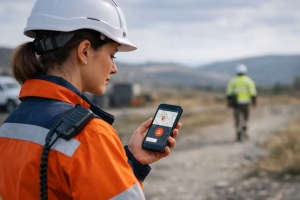
A phone battery at 6 per cent, weak signal on a rural site, and a member of staff working alone after hours – that is exactly the sort of situation where the holiguard app gets mentioned. For many employers, it sounds like a simple answer to a difficult question: how do you improve lone worker safety without adding major cost or complexity?
The honest answer is that the holiguard app can play a useful part in a wider safety arrangement, but it is not a substitute for risk assessment, staff briefings, emergency procedures, or practical training. If your team works alone in offices, community settings, outdoor environments, care roles, facilities work, transport, marine settings, or public-facing services, that distinction matters.
Contents
- 1 What the holiguard app is meant to do
- 2 Where the holiguard app can help
- 3 Where the holiguard app falls short
- 4 The real question is risk, not technology
- 5 Holiguard app and compliance responsibilities
- 6 Training still matters – often more than the app
- 7 When an app makes sense
- 8 Questions employers should ask before using the holiguard app
- 9 A practical standard to work to
What the holiguard app is meant to do
The holiguard app is designed as a personal safety tool. In broad terms, apps in this category allow a user to share location, set timers, raise alerts, and create a record that may help if something goes wrong. The appeal is obvious. Most staff already carry a mobile phone, so the barrier to adoption feels low.
For employers, that can make it attractive as an entry point into lone worker arrangements. It may offer reassurance for staff travelling between appointments, locking up premises, working in isolated parts of a site, or meeting members of the public without immediate colleague support.
That said, a safety app only works properly when the conditions around it are right. Staff need to know when to use it, what it does, what it does not do, and what happens after an alert is triggered. Without that structure, the presence of an app can create false confidence.
Where the holiguard app can help
Used properly, the holiguard app may improve visibility for certain low to moderate risk activities. A worker carrying out a site check alone, a housing or support worker attending a visit, or a staff member leaving a building late in the evening may benefit from timed check-ins and alert features.
It can also support good habits. When a system asks staff to log movements, confirm they are safe, or set a session duration, it encourages people to think actively about their own welfare. That is useful, particularly in organisations where lone working has become routine and risks are easy to overlook.
There is also a practical point here. Smaller businesses and community organisations may not have access to a dedicated lone worker device fleet or a staffed control room. In those cases, an app-based option may be a reasonable starting point, provided expectations remain realistic.
Where the holiguard app falls short
The main limitation is simple: an app is not a safety system on its own. It depends on the user, the handset, signal availability, battery life, permissions, software settings, and somebody responding appropriately when an alert is raised.
If any one of those fails, the app may be far less effective than expected. A worker under stress may not activate it correctly. A phone may be in a bag, out of charge, or left in a vehicle. GPS may be unreliable indoors or in remote areas. Notification settings can be muted. Escalation routes may be unclear. None of that is unusual. It is normal operational reality.
There is also a training issue. Staff can be given technology without being taught how to make decisions under pressure. An app cannot de-escalate conflict, manage a medical emergency, assess a scene for danger, or provide first aid. Those are human skills, and in some roles they are essential.
The real question is risk, not technology
When employers ask whether the holiguard app is a good idea, the better question is usually this: what risks are our lone workers actually exposed to?
A caretaker locking up a school, a forestry worker operating in remote ground, a care worker visiting clients, and a marina instructor moving between pontoons all face very different hazards. One may be more at risk from violence and aggression. Another may be more vulnerable to slips, trips, cold exposure, injury, delayed access to help, or poor communications coverage.
That is why lone worker arrangements should start with a risk assessment, not a product choice. You need to understand the task, the environment, the time of day, communication methods, staff competence, foreseeable emergencies, and how quickly assistance could realistically arrive.
Once that is clear, technology becomes easier to judge. In some settings an app may be suitable. In others, a buddy system, radio contact, amended work patterns, supervised access, or dedicated monitoring processes may be more reliable.
Holiguard app and compliance responsibilities
No app removes an employer’s duty to protect staff so far as is reasonably practicable. If your organisation relies on lone working, you still need suitable and sufficient risk assessment, clear procedures, competent supervision, and training matched to the role.
This is where some organisations get caught out. They introduce a digital tool and assume they have dealt with the issue. From a compliance point of view, that is rarely enough on its own. If a worker may face medical incidents, environmental hazards, violence, delayed rescue, or emergency first aid situations, you need to consider controls beyond personal safety software.
For example, if somebody works in a remote location, the control measure may include communication checks, travel planning, emergency access information, and first aid capability. If somebody works with the public and there is a foreseeable risk of confrontation, the control measure may include conflict awareness, reporting procedures, and management escalation.
Training still matters – often more than the app
Good lone worker safety is built on competent people, not just downloaded tools. Staff need to understand dynamic risk assessment, when not to proceed, how to report concerns, what to do if contact is lost, and how to respond if an incident occurs.
That can include first aid training where appropriate. In many workplaces, the first few minutes after an incident matter far more than the fact an alert was sent. If a colleague is found collapsed, bleeding, unresponsive, or in respiratory distress, practical skills save time and may save life.
It can also include role-specific instruction. Outdoor teams may need remote incident planning. Childcare and sports settings may need paediatric or activity-specific first aid. Marine settings have their own communication and emergency considerations. One size does not fit all, and that is exactly why accredited, sector-relevant training remains central.
For employers across Scotland, this is often the point where policy becomes operational. A written procedure is useful. A team that has practised what to do is far better prepared.
When an app makes sense
The holiguard app may be a sensible addition if your staff already work with phones, your risk profile is understood, and there is a genuine process behind the alerts. It tends to suit organisations that can define who monitors concerns, how escalations happen, and what staff should do if the technology fails.
It is more likely to add value in lower complexity lone worker arrangements, or as one layer in a broader control plan. It is less convincing where there is poor signal, high physical risk, prolonged isolation, or a serious chance that the user may be unable to operate the device in an emergency.
That does not make the technology bad. It simply means it should be judged on operational fit rather than convenience.
Questions employers should ask before using the holiguard app
Before adopting the holiguard app, it is worth testing the practicalities. Who is actually at risk, and when? What happens if the alert is missed? What is the backup if the phone is dead or offline? Have staff been trained to use the app under pressure? Has the process been trialled in realistic conditions rather than discussed in a meeting room?
You should also ask whether the app could create complacency. If staff believe help is guaranteed because a button exists, that can distort judgement. Clear communication is essential: the app may support the system, but it does not replace safe working arrangements.
A practical standard to work to
A sensible benchmark is this: if the app failed completely on a given day, would your lone worker arrangements still be defensible and workable? If the answer is no, too much weight has been placed on the technology.
The stronger position is to build safety around risk assessment, supervision, emergency planning, and competence, then use tools such as the holiguard app to reinforce that structure. For organisations reviewing lone worker arrangements, that often leads to better decisions and clearer accountability. Where training needs sit alongside those arrangements, providers such as SPR Training can help employers match first aid and emergency response capability to the real risks staff face.
A safety app may be useful, but confidence should come from prepared people, tested procedures, and controls that still stand up when the signal drops.